Copying a Draft Version of a Form
Available on all tiers:
When you select Copy from the menu next to the form name, the system copies the latest Active version. It does not copy the latest draft. To copy the Draft A draft form is a partially filled-out form saved on a device, or a preliminary version of a form that's been saved but not deployed in the Form Builder. version, follow these steps:
-
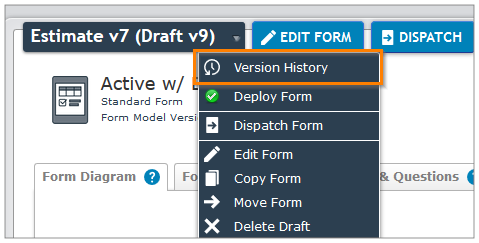
Select FormName > Version History.
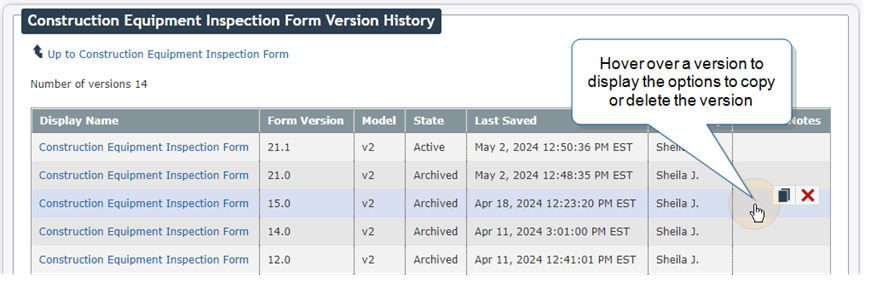
Result: The form Version History page opens. This page includes a table that lists Active, Archived, and Draft versions of the form. A form can only have one Draft version.
-
Hover over the Draft version to display the options to copy or delete the version.
-
Select Copy.
Info:If you don’t see these icons or have any issues with these steps, find out how to contact Support.